GF BF CapCut Template
|

GF BF CapCut Template for Couple Photos and Romantic Edits

A GF BF CapCut template can help you turn your favorite couple photos and video clips into a short relationship edit without building every transition from scratch. Whether you want a two-photo transition, a shared video featuring both partners, or a surprise relationship reveal, the right editing style can make your memories feel more personal….

FreeFire CapCut Template
|

Free Fire CapCut Templates: Gaming Montages & Beat Edits

Want to turn your best Free Fire gameplay into a montage worth sharing? A well-timed edit can make headshots, character changes, clutch moments, and Booyah victories more exciting to watch. Free Fire CapCut templates can help you create these videos with transitions, music, effects, and a structure you can adapt to your own clips. This…

How to Use Green Screen on CapCut

How to Use Green Screen in CapCut: Step-by-Step Guide

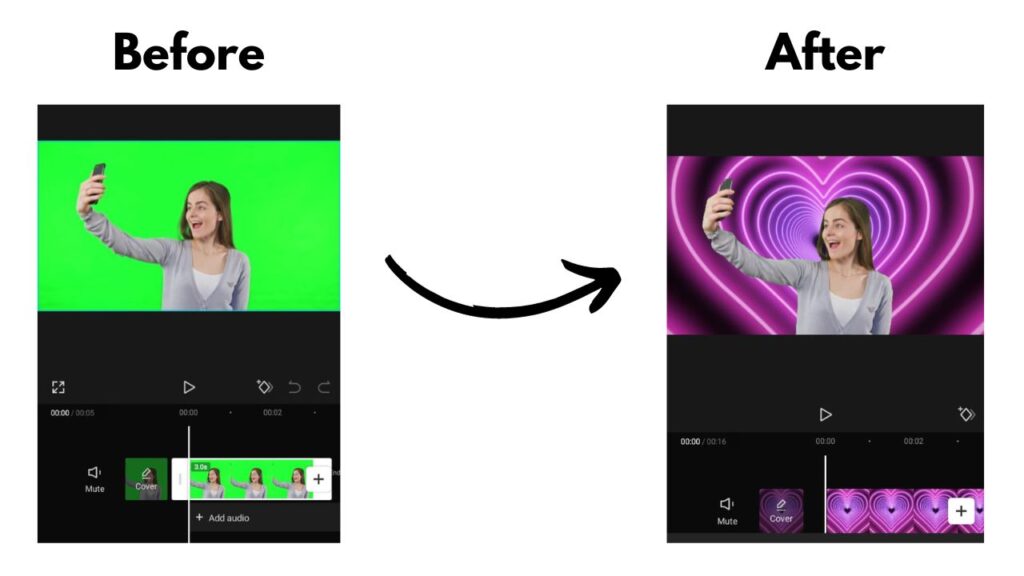
Want to place yourself in a different location, add a custom background to your video, or create an eye-catching visual effect? CapCut’s green-screen tools make it possible to remove a solid-colored background and replace it with another image or video. The process uses a technique called Chroma Key, which makes a selected color transparent so…

Features of Capcut

Best CapCut Features to Improve Your Videos

CapCut is a video editor for creators who want to turn everyday footage into engaging videos without starting with a complicated editing workflow. You can use it to trim clips, add music and text, create smooth transitions, generate captions, and experiment with more advanced tools such as keyframe animation and background removal. Whether you’re making…

Capcut Overlays Guide

How to Use Overlays in CapCut: A Complete Guide

Want to make your videos more creative without complicated editing? CapCut overlays let you place an image, video, or other visual layer over your main footage. You can use them to create picture-in-picture videos, add visual textures, show a second camera angle, or highlight something important on screen. Whether you’re editing TikTok videos, Instagram Reels,…

JJ DJ Unstoppable CapCut Template

JJ DJ Unstoppable CapCut Template: Working Link & Alternatives

Looking for the JJ DJ Unstoppable CapCut Template? This beat-focused edit is designed for short vertical videos with quick transitions and music-synced visuals. You can check the original template page, watch the preview below, or try related CapCut templates inspired by Sia’s song Unstoppable. The original JJ DJ Unstoppable listing is available on CapCut, but…

Capcut Fonts

How to Download and Add Fonts to CapCut

Want to make your videos look different from everyone else’s? The right font can help you create cleaner captions, stylish titles, aesthetic edits, and text that matches your personal brand. CapCut includes a built-in font library, text styles, and animated text effects. You can also explore external font libraries if you want a particular typeface….