How to Cancel a CapCut Subscription on iPhone, Android, and PC
How to cancel CapCut subscription: use the subscription settings of the service that billed you—Apple, Google Play, or CapCut directly—and turn off automatic renewal. The correct method depends on where you purchased CapCut Pro, not just the device you currently use.
This guide explains how to identify the billing provider, cancel on iPhone, Android, or a computer, and confirm future payments have stopped.
Before You Cancel: Find Out Who Bills Your CapCut Subscription
Check your original purchase receipt before attempting cancellation. A subscription purchased through Apple typically must be managed through your Apple Account; the Google Play subscription manager handles Google Play purchases. Direct CapCut purchases use CapCut’s own billing or customer-service process.
| Where you purchased | Where to cancel |
|---|---|
| Apple App Store | Apple Account → Subscriptions |
| Google Play Store | Google Play → Payments & subscriptions → Subscriptions |
| CapCut website or direct checkout | CapCut account billing / subscription management or support |
Search your inbox for “CapCut,” “Apple receipt,” or “Google Play order,” and inspect the merchant on your bank statement. Your CapCut sign-in may differ from the Apple or Google account used for payment.
Deleting the CapCut app does not cancel an active subscription.
How to Cancel CapCut Subscription on iPhone or iPad
If Apple bills your CapCut Pro plan, follow these steps:
- Open Settings on your iPhone or iPad.
- Tap your name at the top.
- Tap Subscriptions.
- Select CapCut.
- Tap Cancel Subscription, if available. You may need to scroll down.
- Complete any confirmation prompts.
Return to the subscription details afterward. Apple says that if there is no cancellation button, or if an expiration notice appears in red, the subscription is already canceled. If CapCut isn’t listed, look for an Apple receipt to identify the account that made the purchase.
How to Cancel CapCut Subscription on Android
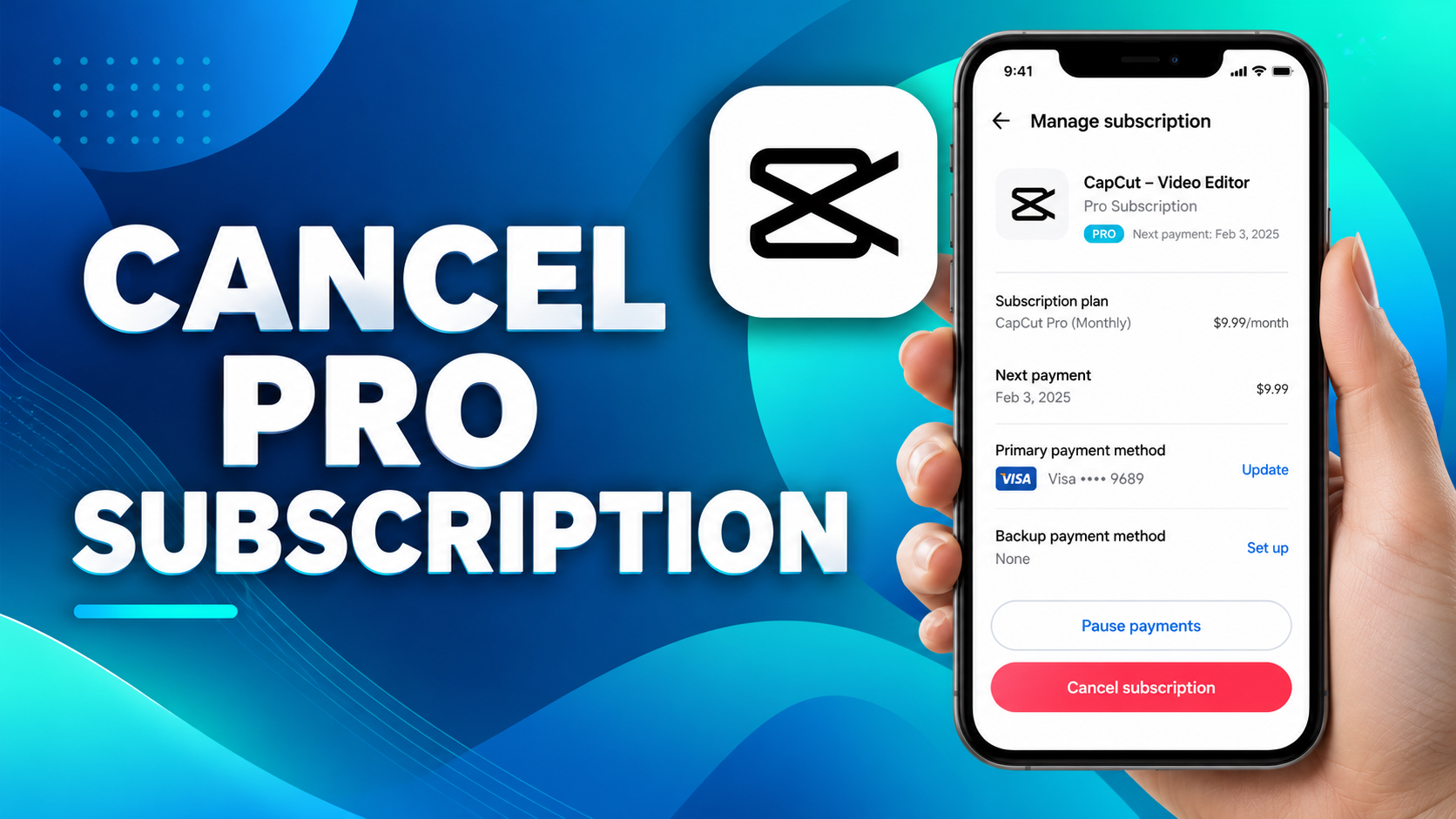
If you paid through Google Play, make sure you’re signed in to the Google Account used for the original purchase.
- Open the Google Play Store.
- Tap your profile picture.
- Select Payments & subscriptions, then Subscriptions.
- Tap CapCut.
- Choose Cancel subscription.
- Follow the remaining confirmation steps.
Google’s subscription screen should then indicate cancellation or an expiration date rather than another scheduled renewal. If you can’t find CapCut, switch Google accounts and check again. You can also manage Google Play subscriptions from a web browser.
How to Cancel CapCut Subscription on PC or Mac
Using CapCut on a computer doesn’t necessarily mean CapCut handles your payments. First establish whether the plan was purchased directly, through Apple, or through Google Play.
Cancel a Subscription Purchased Through CapCut Web
- Visit the official CapCut website and sign in using the account associated with your purchase.
- Open your account or profile settings.
- Look for membership, billing, or subscription-management options.
- If your account offers an auto-renewal or cancellation control, follow the available instructions.
- Verify the resulting subscription status.
Menu wording can vary by account, country, payment method, and software version. If the relevant option isn’t present, don’t assume uninstalling CapCut will stop billing. Contact CapCut’s official support team for help with auto-renewal.
Cancel an Apple or Google Subscription Using a Computer
For Google Play purchases, open Google Play’s subscriptions page in a browser, sign in to the purchasing Google Account, select Manage beside CapCut, and choose Cancel subscription. Follow the confirmation flow.
On a Mac, open the App Store, click your name, select Account Settings, find Subscriptions, and manage the CapCut plan there. If you’re on Windows and Apple handles the billing, consult Apple’s current instructions for the applicable Apple account-management method.
The billing provider remains responsible even when you use CapCut on another device.
How to Cancel a CapCut Pro Free Trial Before Being Charged
Depending on the offer, a CapCut Pro free trial may convert to a paid plan if you do not cancel before its renewal date. CapCut advises canceling at least 24 hours before renewal; Apple similarly recommends allowing at least 24 hours for free or discounted trial cancellation.
- Locate your original trial confirmation and expiry date.
- Identify the company managing the payment.
- Cancel through Apple, Google Play, or direct CapCut billing as appropriate.
- Check that future renewal has been disabled.
Trial lengths, immediate access changes, and refund rights may differ by promotion and purchase platform. Refer to the terms displayed when you subscribed.
How to Confirm Your CapCut Subscription Is Canceled
Don’t stop after tapping the cancel button. Open your billing provider’s subscription page again and check the result.
- Look for a status such as Canceled or an expiration date instead of a new renewal date.
- Check whether another future recurring payment is scheduled.
- Save the confirmation email or a screenshot of the final status.
- Recheck the subscription before the date on which it previously renewed.
A plan may still show paid access until the end of your existing billing period; that doesn’t necessarily mean automatic renewal is still enabled. If the status is unclear, ask the original billing provider for confirmation.
What Happens After You Cancel CapCut Pro?
Canceling automatic renewal generally prevents another billing cycle while leaving paid benefits available until the current term ends, subject to your plan and billing terms. After expiration, some Pro effects, templates, exports, editing features, or cloud-storage benefits may no longer be accessible.
If you plan to keep editing after your paid plan ends, our CapCut auto-captions guide explains how to check and use caption features on supported devices. If you need to reinstall the editor, see how to download CapCut in India safely for official availability and installation guidance.
Cancellation does not by itself establish that your projects will be erased. However, it is sensible to prepare for limits on premium or cloud resources:
- Export important finished videos.
- Save copies of projects where supported.
- Review projects that rely on Pro-only effects or assets.
- Check your account’s current cloud storage terms.
Can You Get a Refund After Canceling CapCut?
Cancellation and refund requests are different. Ending future renewals does not automatically refund an earlier payment.
| Payment provider | Refund request route |
|---|---|
| Apple | Apple purchase support or Report a Problem |
| Google Play | Google Play refund support |
| CapCut direct billing | Official CapCut customer support |
Eligibility depends on the billing provider, applicable consumer rights, and purchase circumstances. CapCut says digital subscription purchases generally aren’t refundable, but exceptions may apply. Gather the receipt, transaction date, order number, and a description of the issue before contacting support. Never share passwords, one-time codes, or full payment-card numbers.
Why Can’t I Cancel My CapCut Subscription?
CapCut Is Missing From Your Subscription List
Check every Apple or Google Account that might have been used, then search for the purchase receipt. A directly billed CapCut plan might not appear in either store’s subscription list. Check for expired subscriptions too.
The Cancel Subscription Button Is Missing
On Apple, a missing Cancel button can indicate an already-canceled subscription. Check the expiration notice. In Google Play, verify that you selected the correct account and subscription. For CapCut-billed plans, contact CapCut support if the management controls are unavailable.
CapCut Is Still Charging You After Cancellation
Compare the transaction date with your last renewal and cancellation dates. Some charges may have been processed before cancellation but posted later. Also check for multiple subscriptions under different accounts. If a charge seems incorrect, raise it with the payment provider and include the cancellation confirmation.
Contacting CapCut Support When Cancellation Fails
Prepare your CapCut account email or login method, device platform, receipt or order number, and a screenshot showing the problem. Explain which cancellation method you’ve already tried. Use official CapCut support channels rather than sharing private billing details on public forums.
Frequently Asked Questions
Does deleting CapCut cancel my subscription?
No. Removing the app does not cancel a recurring payment. You must cancel through the provider that billed you.
Can I cancel CapCut Pro immediately?
You can normally submit a cancellation before renewal, but an end to automatic billing may not immediately end benefits already paid for.
Will I lose my CapCut projects after canceling?
Not necessarily. However, access to premium features and cloud resources can change after your paid term. Export and back up important work before expiration.
How do I stop CapCut from charging me again?
Cancel the subscription through Apple, Google Play, or direct CapCut billing, then verify that the plan no longer renews.
Can I cancel a subscription purchased on my phone using a PC?
Often yes, using the relevant billing provider’s web or computer account-management options. The device does not change who manages the purchase.
Will CapCut refund unused subscription time?
Not automatically. Refund eligibility is determined separately by the original payment provider and applicable rules.
To stop CapCut Pro billing, first identify who charged you, complete cancellation through that provider, and confirm your subscription no longer renews. Keep a copy of the cancellation confirmation in case you need assistance later.