
Is CapCut Down? How to Check Outages and Fix Connection Problems
Is CapCut down? A failed login, missing template, or “No internet connection” message does not by itself prove CapCut’s servers are down. First check independent outage reports, then compare the app on a second network or device. If many people report the same failure at once, a wider service issue becomes more likely; if only your device fails, start with the connection and app checks below.
Last reviewed: October 30, 2026. This is an evergreen troubleshooting guide, not a live uptime dashboard. For a current signal, open a tracker and inspect its most recent timestamps rather than relying on a static “up” or “down” claim in an article.
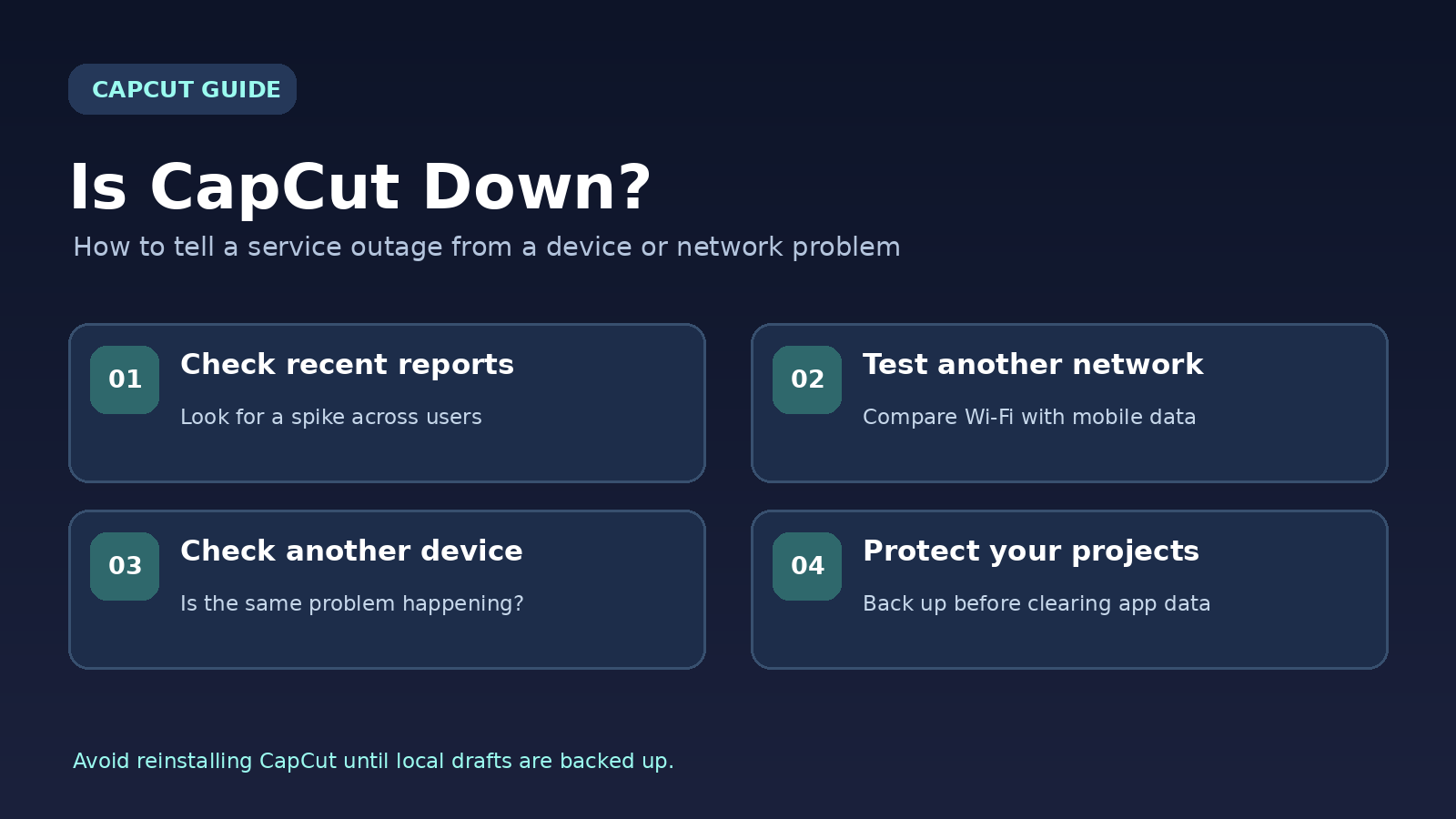
Quick answer: Is CapCut down right now?
There is no reliable way for a static article to certify CapCut’s current status for every region. To check the latest reports, compare StatusGator’s CapCut page and IsDown’s user-report map, then review CapCut’s official Help Center. Independent sites are useful warning signals, not an official outage confirmation.
If reports suddenly spike and several users cannot sign in or load cloud features, wait before repeatedly logging out, clearing storage, or reinstalling. If reports remain normal, run a simple test: open CapCut on a second network and check whether a new blank project works. That helps narrow the problem without risking existing drafts.
If you’re unsure whether the problem is restricted to your region, read our CapCut availability and usage guide for India for location-specific considerations.
How to Check Whether CapCut Is Down
1. Look for a spike in independent outage reports
Open at least two trackers and inspect the time, region, and number of reports. A cluster of reports in the past 15–60 minutes is more meaningful than a single complaint from yesterday. A tracker that can load CapCut’s website does not necessarily prove its editing, login, cloud-sync, and template systems are all working.
2. Compare a second device or connection
Try the editor on another device or in a supported browser, then switch your phone between Wi-Fi and cellular data. If one network fails and the other works, suspect local routing, DNS, filtering, or a restricted network. If both devices and networks fail in the same way while reports rise, a service-side problem becomes more plausible.
3. Check official announcements and support
Read the official CapCut connection guide and any current notices from CapCut’s verified channels. If no incident is acknowledged, that does not prove there is no outage: some failures are regional or limited to one feature. Document the exact error and time so support can investigate.
CapCut Outage or Local Problem? Use This Decision Table
| What you observe | Likely explanation | What to do first |
|---|---|---|
| Many recent reports, login and cloud tools fail across devices | Possible widespread or regional incident | Wait, check updates, protect drafts |
| Works on mobile data but not Wi-Fi | Router, DNS, firewall or network restriction | Restart router; test another trusted network |
| Website works but app does not | App version, session or local configuration | Restart app and check updates |
| Only one large project freezes | Media, memory, storage or effect load | Test a blank project; preserve the original |
| Only templates or AI tools fail | Feature-specific connectivity, eligibility or availability | Check account, region and connection |
These are diagnostic clues, not definitive diagnoses. Multiple causes can produce the same error.
Fix “No Internet Connection” in CapCut on iPhone or Android
Step 1: Verify the phone actually has internet access
Open a different website or app. If nothing loads, reconnect Wi-Fi or cellular service before changing CapCut settings. Public, school, and office networks may restrict some cloud services. Test a trusted alternative connection to see whether the error disappears.
Step 2: Allow CapCut to use mobile data
On iPhone, review Settings → Cellular and make sure CapCut is allowed to use cellular data. On Android, open the app’s network or mobile-data settings; labels vary by manufacturer. Also check data-saving modes if they restrict background or mobile connectivity.
Step 3: Restart CapCut and update it
Fully close the app, reopen it, and retry the failed feature. If that does not help, restart the phone. Install updates from the official App Store or Google Play listing when available in your region. An old client can be incompatible with newer services.
Step 4: Clear temporary cache carefully
If CapCut exposes a Clear cache option inside its own settings, use that only after checking what it removes. Do not tap Clear data or Clear storage in Android system settings to troubleshoot a connection error: it can erase unsynced local projects. Reinstalling can also remove drafts, so treat it as a last resort.
Step 5: Test VPNs and filters
A VPN, private DNS setting, content filter or ad blocker can interfere with sign-in or asset downloads. Temporarily disable one at a time for a controlled test, then restore the setting. Do not bypass restrictions imposed by a school, employer, or local law.
CapCut recommends these categories of checks in its official troubleshooting instructions.
If you are new to the editor, our CapCut beginner guide explains the normal desktop and web editing workflow before you troubleshoot a connection error.
CapCut Not Loading on Windows, Mac or the Web
Fix CapCut Web in your browser
Start with a current browser and a private window. If the editor works privately but not in your usual session, an extension, cached file, or cookie may be involved. Disable extensions one by one, then clear CapCut-specific site data if necessary. Remember that signing out may affect access to unsynced browser projects.
Large uploads require a stable connection and enough device memory. If only one file fails, test a small supported video. If multiple services fail, restart the router or try another network rather than repeatedly uploading the same large project.
Fix CapCut Desktop on PC or Mac
Check that other apps can connect, then restart CapCut. Look for an app update in its settings or through the official download source. Sign out and back in only after confirming your projects are safely stored. If the app freezes rather than showing a network error, close other heavy programs and free disk space.
CapCut’s help documentation also suggests checking hardware acceleration for some desktop issues. Change one setting at a time and record the original choice so you can reverse it. Avoid disabling security software permanently; if you suspect a firewall rule, review and restore it after testing.
For a template-specific failure, start with our CapCut templates not showing guide. If a template never finishes loading, our loading CapCut templates article covers another related symptom.
Why CapCut Templates, Captions or Cloud Sync Can Fail Separately
CapCut is not a single all-or-nothing service. You may be able to edit local footage while template downloads, AI features, account authentication, or cloud sync fail. That distinction matters because repeatedly reinstalling the editor is unlikely to fix a temporary backend problem.
If a template will not load, test another template and verify that the creator has not removed or restricted it. CapCut’s template troubleshooting guide notes that connection problems and availability can affect template use. For subtitles, compare your results with our guide to fixing CapCut auto captions.
Cloud projects deserve special caution. An upload icon or a signed-in account is not proof that a particular draft has finished syncing. Check for an explicit sync completion indicator and verify the project is accessible where expected before deleting local data.
If editing works but you want to understand the editor’s available tools, our overview of CapCut features can help you distinguish normal features from an outage.
Protect Your CapCut Projects Before Troubleshooting
- Keep source footage: retain the original videos, photos and audio in a separate folder.
- Verify backups: confirm cloud sync has completed where available; do not assume every project is cloud-backed.
- Export finished edits: save playable copies of work you cannot afford to lose.
- Avoid destructive fixes: do not clear app data, delete projects, or uninstall until you know how to restore them.
- Record the problem: capture the error message, app version, operating system and approximate time.
If you’re considering installing a different copy of the app because of a regional error, read our guide to CapCut availability and safer downloads. Modified installers can introduce security risks and will not necessarily fix an outage.
When Should You Wait, and When Should You Contact Support?
Wait and retry later when independent reports are rising, multiple devices fail similarly, or CapCut has acknowledged an incident. During that time, avoid changing passwords repeatedly or clearing drafts. Work on offline footage if your current editor still allows it.
Contact support when a failure persists on multiple trusted networks after app updates, when a paid feature is inaccessible without an acknowledged outage, or when an important project appears missing. Include your platform, CapCut version, time zone, exact message, steps already tried and screenshots with personal information hidden.
If your subscription is still renewing while the editor is unavailable, review our CapCut subscription cancellation guide before the next billing date. An outage does not automatically stop renewal.
Frequently Asked Questions
Is CapCut down for everyone?
Not necessarily. Some incidents affect only a region, account type, or feature. Compare independent reports and test more than one connection before concluding it is widespread.
Does “No internet connection” mean CapCut servers are down?
No. The message can also appear because of Wi-Fi problems, app permissions, VPNs, network filtering, outdated software or browser settings.
Can I edit videos in CapCut during an outage?
Some locally available editing functions may still work. Cloud templates, sign-in, sync and online AI tools can be affected separately. Do not depend on unsynced projects until the service recovers.
Should I reinstall CapCut to fix an outage?
Usually not as a first step. Reinstallation can remove local drafts and will not repair a server-side incident. Check backups and try non-destructive tests first.
Where can I check CapCut server status?
Use independent report trackers as signals and compare them with CapCut’s verified support communications. A website reachability check alone cannot confirm every editor feature.
Bottom Line
If CapCut stops working, check recent reports, test another network, and protect your drafts before attempting a reset. If multiple independent signals suggest a widespread incident, waiting is safer than destructive troubleshooting. If the issue is isolated to your device, the network, app and browser steps above are a sensible starting point.


